
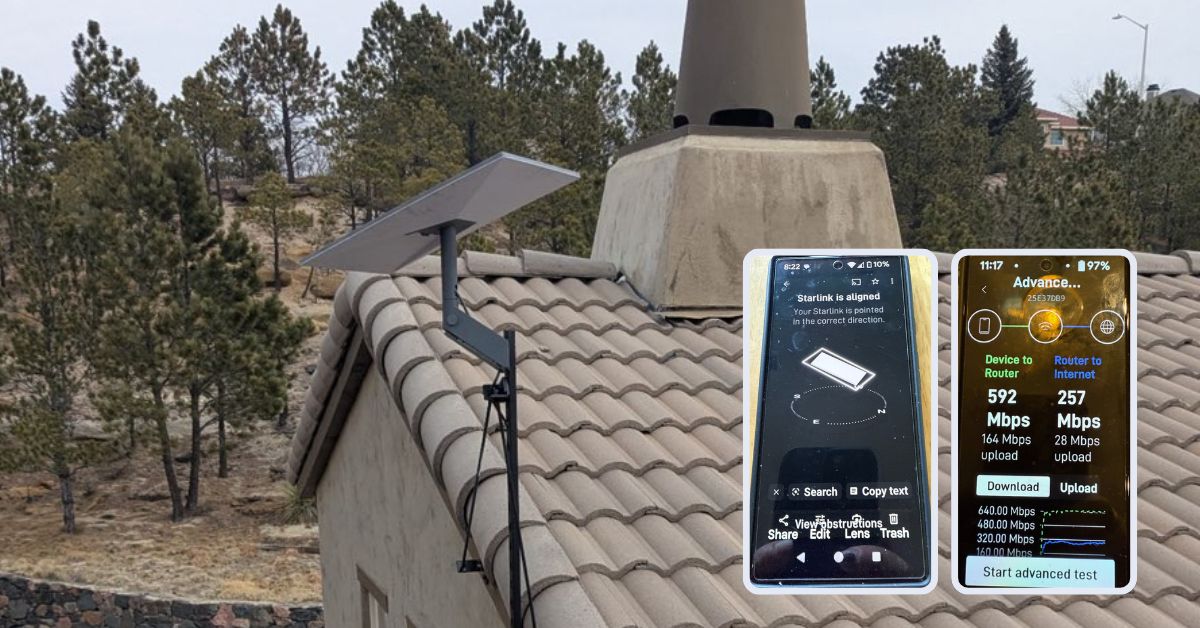
This article features a successfully completed project in Colorado Springs, CO Starlink installation by ProSat Networks 1-844-799-0258. We offer professional Starlink installation and IT network solutions for commercial businesses, residential homes, RV parks, campgrounds, construction sites, agricultural operations, airplane hangars, mining facilities and long-range, multi-building indoor and outdoor wireless networks across Colorado.
To book your Starlink installation, call us at 1-844-799-0258 or request a quote through our Contact Us form.
🔹Location: Colorado Springs, CO
🔹Property Type: Residential home
🔹Property Size: 4815 sqft, two-story home
🔹Roof Type: Clay or concrete tiles
🔹Starlink Kit: Standard kit
🔹Mount Solution: Standard wall mount with pole
Our Starlink Installation SMEs received a service request for Starlink Installation in Colorado Springs, CO . The customer wanted to connect the Starlink to the existing network in the house’s basement. Our team kick-off the installation process by conducting the following tasks:
Our Starlink installation SME conducted an initial offsite assessment to to determine the location suitable for Starlink installation. This involved analyzing satellite imagery, reviewing onsite photos, evaluating the roof type, and identifying potential obstructions that could affect connectivity. From this evaluation, we established the necessary materials, equipment, Starlink mounts and manpower needed to ensure a smooth and efficient installation process.
After the assessment, our team sent an installation proposal for customer's approval. Once approved and all materials and equipment are available onsite, the installation schedule is coordinated with our professional Starlink installers in Colorado Springs, CO.
The Starlink installer arrived on schedule to perform the following scope of work:
🔹Install Starlink Standard Kit using standard wall mount attached to custom pole mount
🔹Cable management for existing wiring in-place to comply HOA standards.
🔹Cable routing to the existing network in the basement.
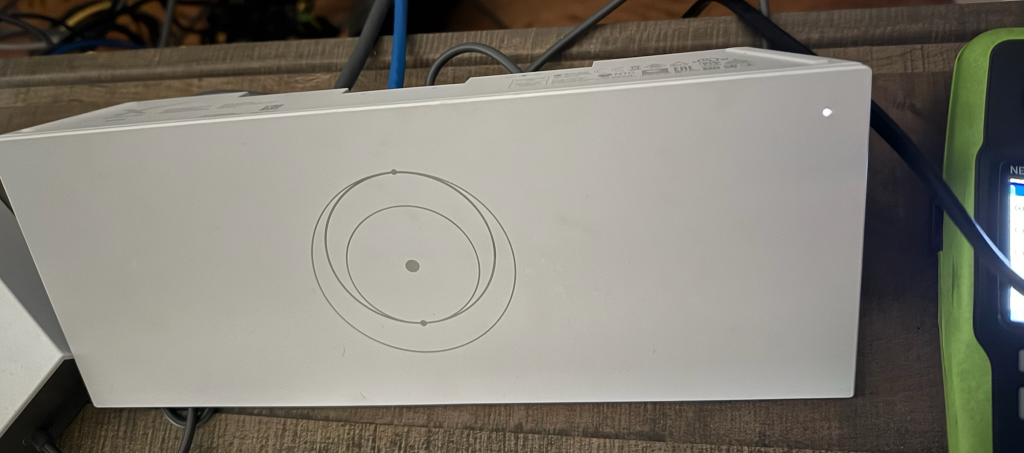
🔹Activate & configure the Starlink Gen3 WiFi mesh router and place them on customer approved location with optimal coverage across the home.
🔹Guide the customer on how to use the Starlink App.
🔹Test and document the installations with photos.
Our team initiated the installation process by performing a Starlink obstructions test using the Starlink App. This essential step evaluates the surrounding environment for potential interference, such as trees, buildings, or other structures that could obstruct the satellite’s line of sight. Utilizing the device’s camera, the app scans the installation site and provides real-time visualization of any obstacles that may impact signal quality.
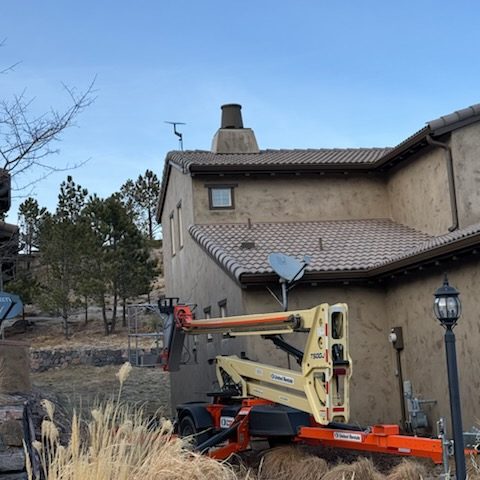
The Starlink dish is installed on the roof eaves using a custom pole and standard wall mount. Using the lift, our team could mount the dish in an elevated position, which ensured an unobstructed sky view for optimal satellite connectivity. The installation was secured and the location avoid potential obstructions from trees or nearby buildings.
Utilizing the cable routing kit, the Starlink cable was routed from the dish to the existing basement network through a properly installed wall passthrough. The penetration was fitted with a protective grommet and sealed to prevent moisture intrusion. Additional care was taken to organize and secure existing wiring, in line with HOA standards, resulting in a clean, compliant, and visually unobtrusive installation.
The customer was given a walkthrough on how use the Starlink App, including:
🔹Managing their SSID
🔹Resetting their WiFi password
🔹Running speed tests
🔹Refreshing or resetting the Starlink network
🔹Troubleshooting common connectivity issues
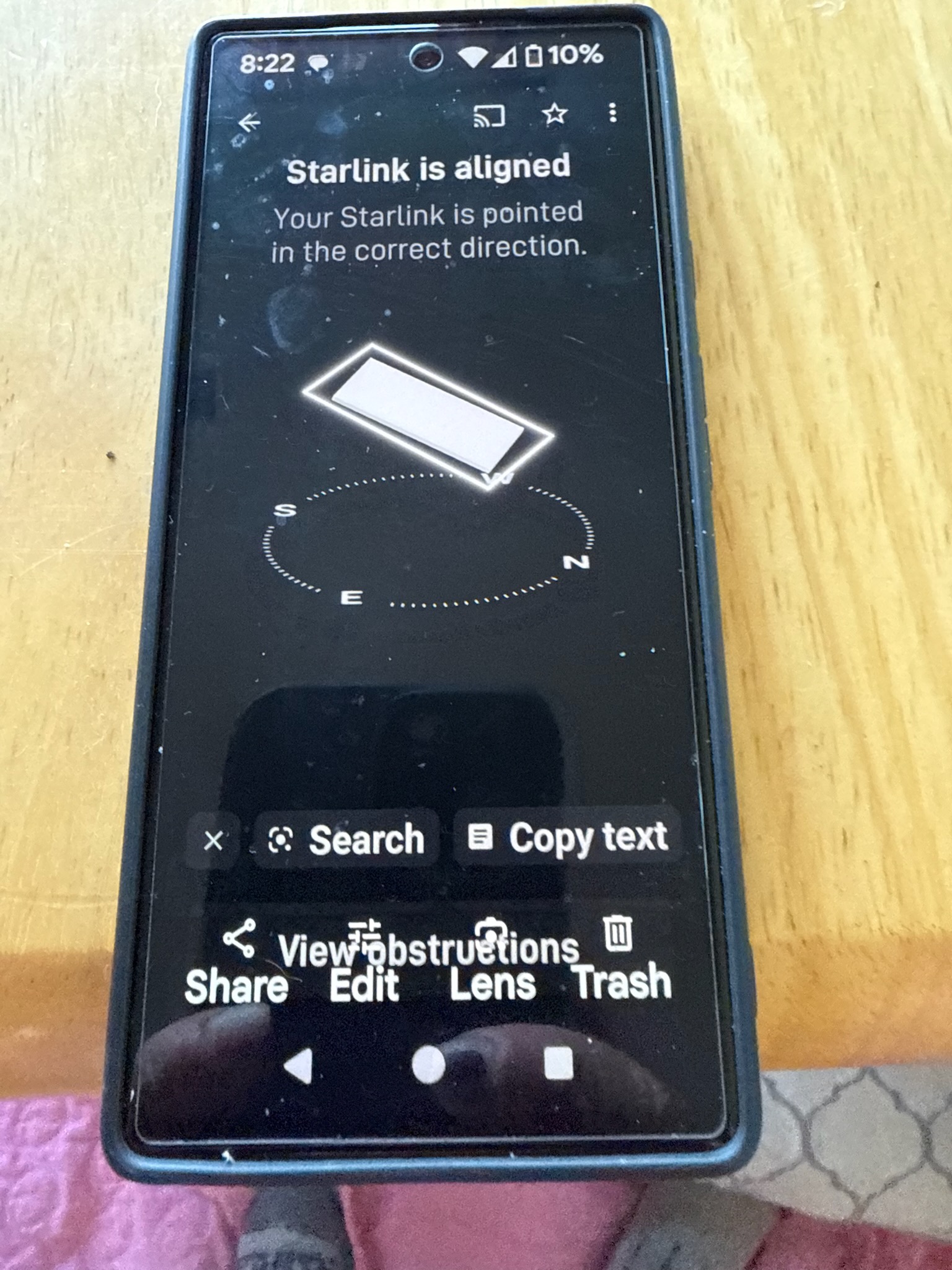
Our Starlink installer carried out the Starlink alignment test to verify that the dish had a clear, unobstructed view of the sky. This is a critical factor for maintaining a stable connection with minimal service interruptions. Adjustments were made to enhance signal reception, reduce latency and optimize overall network performance for a good internet experience.
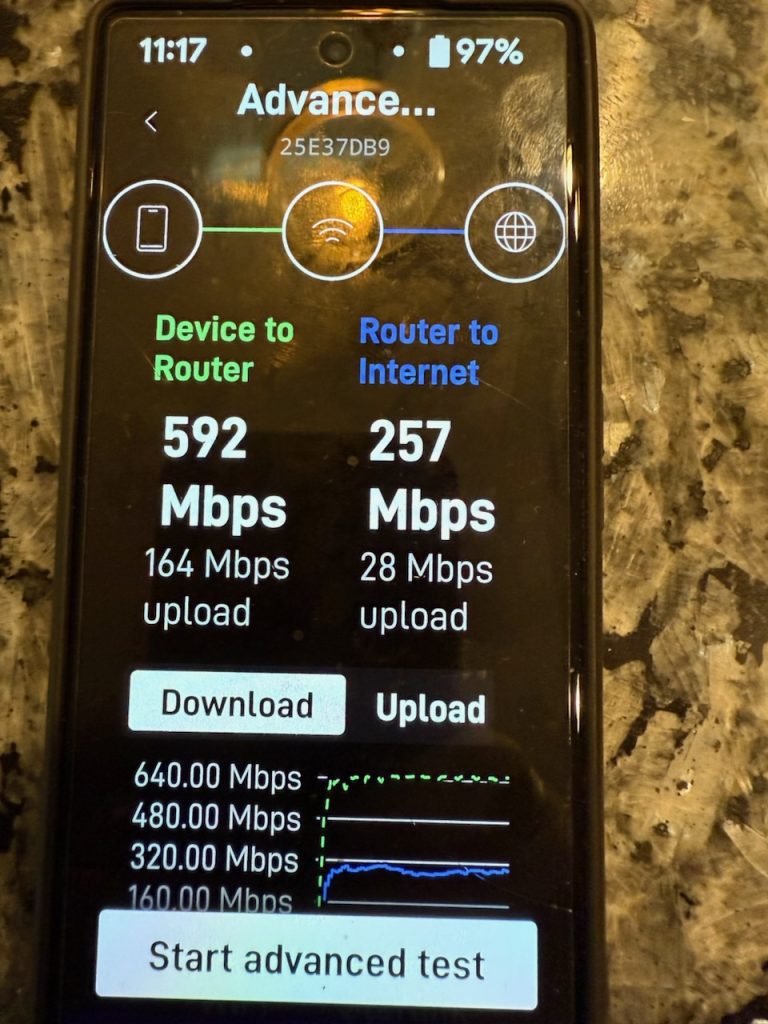
The advanced Starlink Speed Test assessed the system’s internet performance. This speed test shows strong network performance. The device-to-router connection delivers excellent speeds, with 592 Mbps download and 164 Mbps upload, indicating a well-optimized local network. The router-to-internet speed via Starlink is 257 Mbps download and 28 Mbps upload, providing fast internet for streaming, gaming, and remote work.
It is important to note that Starlink may take up to 12 hours to fully optimize, scanning the sky to connect with the satellites. Users may experience temporary speed fluctuations or brief dropouts during this process. Once complete, the connection stabilizes, ensuring reliable high-speed internet.
Call us at 1-844-799-0258 to schedule your Starlink installation or to address any service-related inquiries.
We also offer Starlink business installation and IT network services to nearby towns and cities including:
and more, just ask.
DID YOU KNOW?
Colorado Springs, CO, is a prosperous city at the base of the Rocky Mountains, with its beautiful landscapes, military influence, and burgeoning economy. As the state’s second-largest city, it houses prominent institutions like the U.S. Air Force Academy, Fort Carson, and various high-tech and aerospace industries. The city entices nature lovers with iconic landmarks like Pikes Peak, Garden of the Gods, and innumerable hiking and cycling trails. As Colorado Springs grows in population and economic opportunity, much of the surrounding rural and mountainous regions are left behind with little access to high-speed internet due to difficult terrain and low-density infrastructure.
Thank you for reading our Starlink installation articles.