
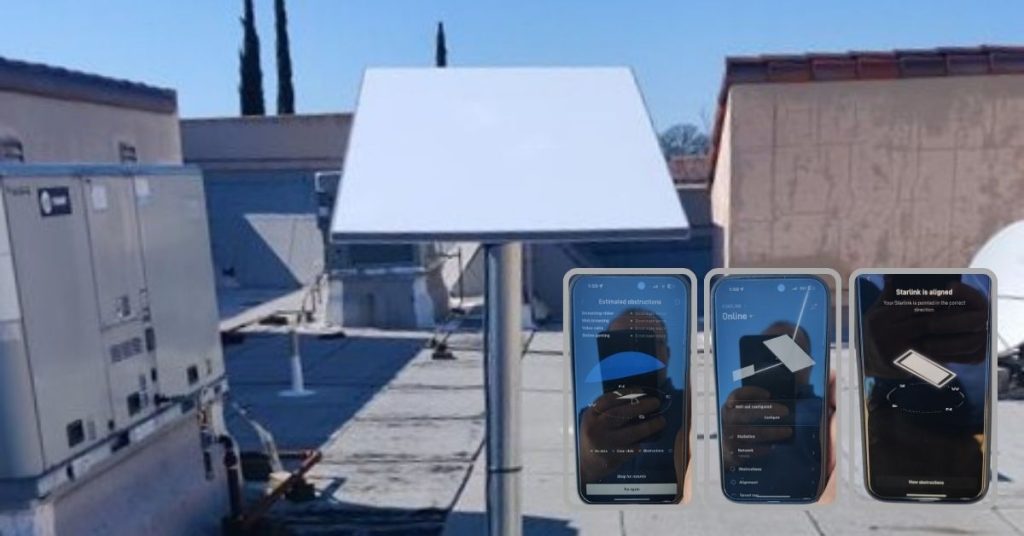
This article features the Starlink installation in Roseville, CA that was successfully completed by ProSat Networks 1-844-799-0258. We offer professional Starlink installation and IT network solutions for commercial businesses, residential homes, RVs, RV parks, campgrounds, construction sites, farm, airplane hangars, mining facilities and long-range, multi-building indoor and outdoor wireless networks across California.
To book your Starlink installation, call us at 1-844-799-0258 or request a quote through our Contact Us form.
🔹Location: Roseville, CA
🔹Property Type: Business Building
🔹Roof Type: Flat roof
🔹Starlink Kit: Standard kit
🔹Mount Solution: Non-penetrating roof mount
Our Starlink Installation SMEs received a service request for Starlink installation in Roseville, CA. The customer wanted to replacing the existing ISP with Starlink as the primary connection. Our team kick-off the installation process by conducting the following tasks:
To assess the feasibility of the installation, we conducted an Initial Offsite Assessment. This involved analyzing satellite imagery and customer-provided onsite photos of the business building to understand its layout, dimensions and potential obstructions. Our Starlink SMEs recommend to have a site survey visit to:
🔹Confirm installation point by running Obstructions tests, consider height and dish orientation
🔹Confirm outdoor/indoor cable path
🔹Evaluate if needed additional Starlink mesh routers.
🔹Document rooftop and installation points with photos
🔹Create and attach floor plan for the project
After the site survey, our team sent an installation proposal for customer's approval. Once approved and all materials and equipment are available onsite, the installation schedule is coordinated with our professional Starlink installers in Roseville, CA.
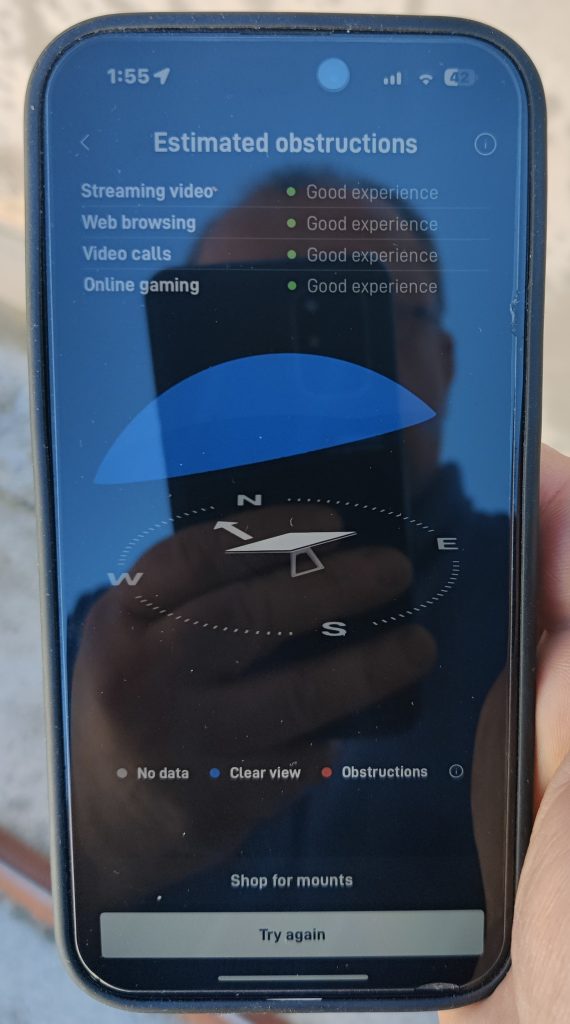
The Starlink installer arrived as scheduled and performed a Starlink obstructions test using the Starlink App. A crucial step in determining the best placement for the dish. This evaluation ensured a clear sky view, optimizing connectivity to the Starlink satellite network. The test resulted in a rating of “Good Experience,” confirming that the chosen location is ideal for a stable, high-speed connection suitable for streaming, browsing, video calls, and gaming.
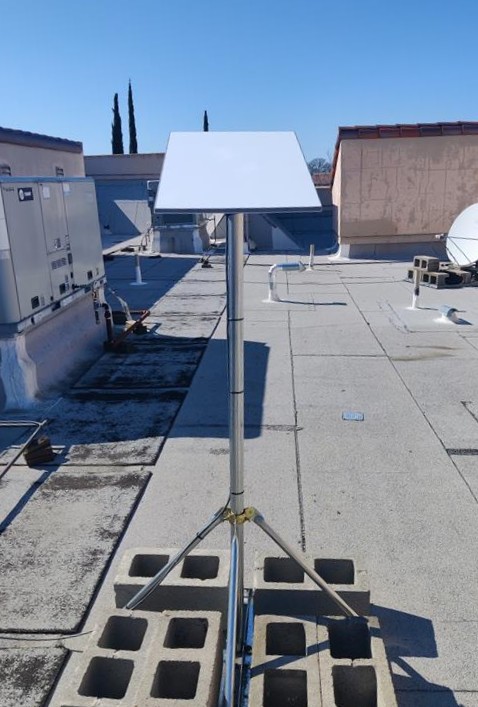
The Starlink dish is installed using a non-penetrating roof mount with cinder blocks. This mounting solution eliminates the need for drilling, preserving the roof’s integrity.
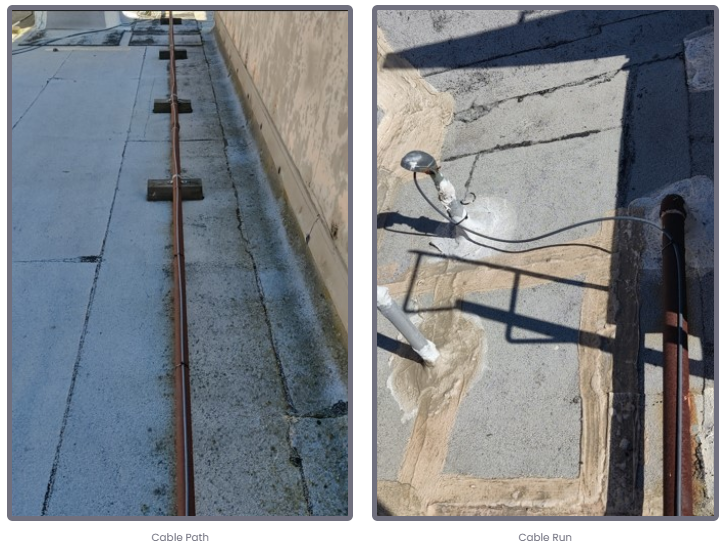
Next, the Cable Routing Kit was used to securely route the Starlink cable from the outdoor Starlink dish to the indoor network rack/cabinet, connecting it to the existing network.
Next, our team checked the Starlink connection and configured the WiFi settings by configuring the SSID and password.
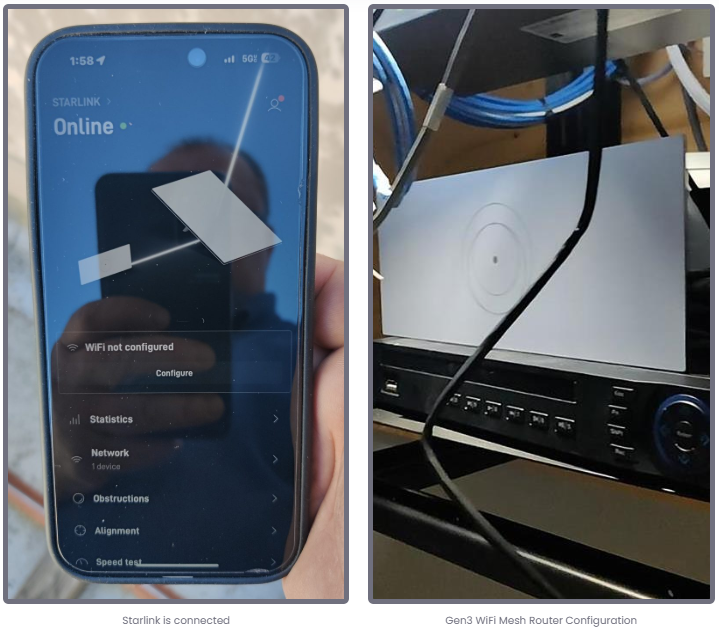
Finally, the customer was provided with a walkthrough on how to use the Starlink App's key features, including:
🔹Managing their SSID
🔹Resetting their WiFi password
🔹Running speed tests
🔹Refreshing or resetting the Starlink network
🔹Troubleshooting common connectivity issues
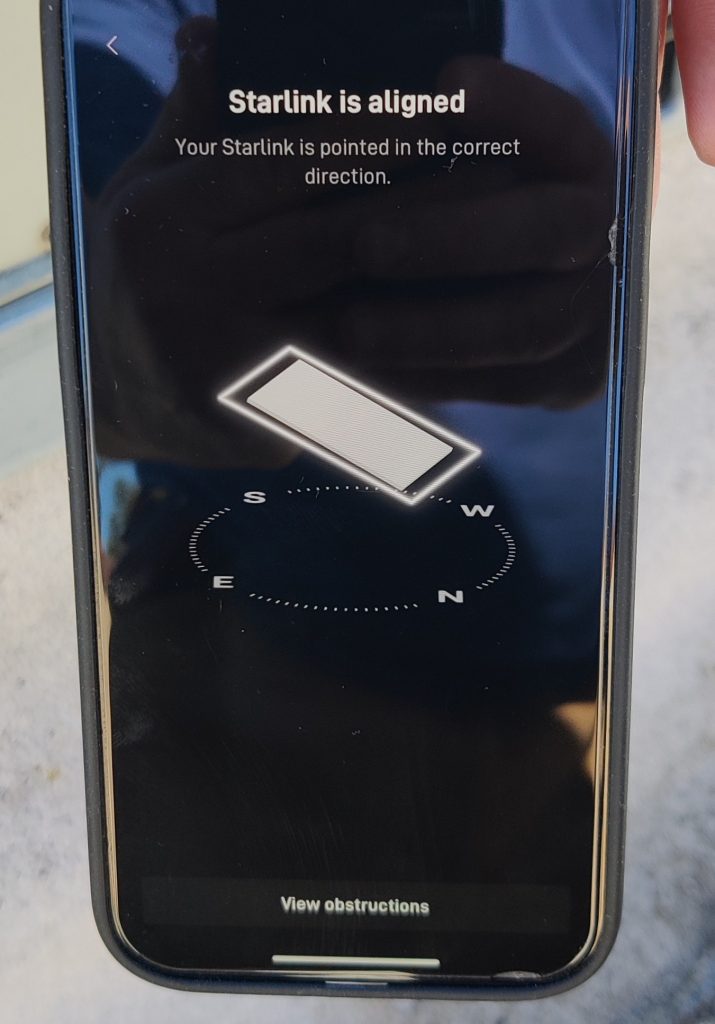
After the installation, our team performed a Starlink alignment test. An essential step to ensure the dish is positioned accurately for optimal satellite connectivity. Utilizing the advanced tools within the Starlink app, we fine-tuned the dish’s orientation to guarantee it was aimed in the best direction for capturing the strongest possible signal.
Finally, after the installation, our team conducted a Starlink speed test to confirm the connectivity performance.
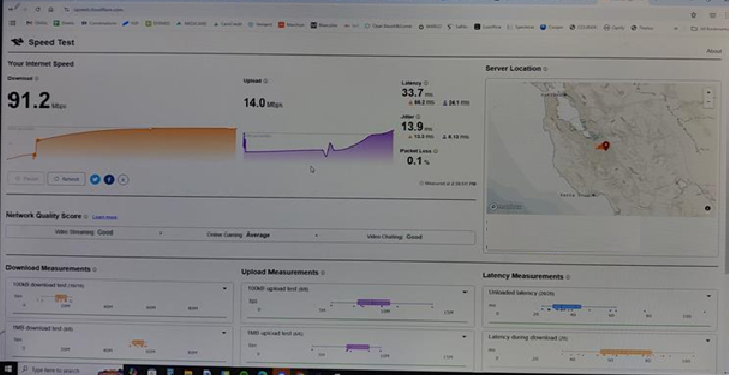
It is important to note that Starlink may take up to 12 hours to fully optimize, scanning the sky to connect with the satellites. Users may experience temporary speed fluctuations or brief dropouts during this process. Once complete, the connection stabilizes, ensuring reliable high-speed internet.
The speed test results confirm that the Starlink setup operates at peak performance, providing fast download speeds, high upload rates and acceptable range latency. These results reflect a successful installation with a clear line of sight to the satellites, minimal interference and strong signal strength, guaranteeing a reliable internet connection.
Call us at 1-844-799-0258 to schedule your Starlink installation or to address any service-related inquiries.
ProSat Networks offers Starlink installation and IT network services to nearby towns and cities including:
DID YOU KNOW?
Roseville is one of the fastest-growing cities in Northern California and a major hub for technology, retail, and logistics. It sits at the edge of the Sacramento Valley and the Sierra Nevada foothills, making it a popular location for families and businesses that want suburban living with strong infrastructure and connectivity.
Thank you for reading our Starlink installation articles.
Call ProSat Networks at 1-844-799-0258